AI Agent Security for Business: The 10 Controls to Demand Before You Deploy
Before an AI agent talks to your customers, check these 10 security controls: permissions, data, human handoff, logs and a kill switch.

Before you let an AI agent talk to your customers, demand ten controls: a narrow scope, least-privilege permissions, limited data, answers grounded in your own information, human handoff, human approval for irreversible actions, defenses against manipulation, ongoing logging, legal transparency, and a kill switch. None of them promises zero errors. All of them make an error cheap.
It's 11:40 p.m. A customer asks your website whether they can return an order after the deadline. The agent says yes, with total confidence. At 8:00 a.m., your team finds the conversation and a promise nobody approved.
If you run operations, you've probably already thought it: I don't want to be the one explaining why the AI promised something we can't deliver. That's a reasonable concern. The answer isn't to avoid AI. It's to require the right controls before day one.
There's one question almost no AI security checklist asks, and it decides whether an agent is safe in your business or only looks safe in a demo. I'll give it to you after the ten controls.
An AI agent is secure when it has a defined job, minimal permissions, limited data, a path to a human, a log someone actually reviews, and an off switch. Security doesn't mean the agent never makes a mistake. It means that when it does, the damage is small and you can see it.
What Is AI Agent Security?
AI agent security is the set of technical limits and human processes that keep an agent from leaking data, taking unauthorized actions, or giving wrong answers without anyone noticing.
A rules-based chatbot can only say what someone scripted in advance. A conversational AI agent writes its own responses, pulls information from your business and, depending on setup, can capture contact details, check inventory or trigger actions. That flexibility is its value, and it's also its risk surface, because the agent talks to people you don't control.
Think of it as a new hire with access to your information and tools. Nobody hands over every key on day one.
The Real Risks of an AI Agent That Talks to Customers
It helps to separate real risks from hype. These are the ones that keep showing up.
Data leakage. The agent exposes something it shouldn't: another customer's data, internal pricing, or its own instructions. In IBM's 2025 Cost of a Data Breach Report, the first edition to study AI security controls, 13% of organizations reported breaches of their AI models or applications, and 97% of those lacked AI access controls, according to IBM.
Excessive agency. The agent has more capability, permission or freedom than it needs. OWASP, the leading application-security community, lists it in its 2025 Top 10 for LLM applications alongside prompt injection and system prompt leakage.
Prompt injection. A user, or text hidden in a document, convinces the agent to ignore its rules. Tenable researchers showed that a customer-service agent built with Microsoft Copilot Studio could be manipulated with a simple prompt into disclosing customer records, including payment card data, and into changing a trip price to $0. This is a structural problem: no technique fully eliminates it today, so you contain it with permission limits, not filters alone.
Confident wrong answers. In 2024, a British Columbia tribunal (Moffatt v. Air Canada) held Air Canada liable for incorrect bereavement-fare information its chatbot gave a customer. The airline argued the chatbot was a separate entity responsible for its own actions. The tribunal rejected that. It's a Canadian case, but the lesson travels: your company answers for what its agent says.
Shadow AI. AI tools employees use without IT approval. IBM found that shadow AI was involved in one in five breaches and added about $670,000 to the average cost, and only 37% of organizations had policies to manage or detect it.
These risks share one trait: none is solved by "a better model." They're solved by design and operations. That's what the controls are for.
The 10 AI Agent Security Controls to Verify Before Go-Live
For each control you get three things: what to require, the red flag, and the question to ask any vendor.
1. A Narrow Scope: One Defined Job
What to require. A written description of what the agent does (for example, answer sales inquiries and capture contact details) and what it does not do: refunds, legal advice, medical guidance, price changes. That list also becomes your test plan later.
Red flag. "It can handle anything." An agent approved for everything isn't approved for anything specific.
Ask the vendor. Which topics and actions are out of bounds by design, and how is that limit enforced?
2. Least Privilege: Permissions and Tools
What to require. Only the tools the agent truly needs, with the minimum permission: read before write, write before delete. A support agent shouldn't be able to delete records or edit prices. It should use its own identity, separate from any employee's.
Red flag. Admin credentials "to make setup easier."
Ask the vendor. What identity does the agent use, and what can it read, write or delete in my systems?
3. Limited Data and Clear Vendor Terms
What to require. A justified list of the data the agent can access. No personal data it doesn't need, and no way for one conversation to surface another customer's information. In writing: how long the vendor retains conversations, whether it uses them to train models, and which third parties are involved.
Red flag. Vague answers about retention or training on your data.
Ask the vendor. Are my data and my customers' conversations used to train models? How long are they kept, and who else processes them?
That's half the system. The other half decides whether the agent tells the truth.
4. Answers Grounded in Your Information
What to require. The agent should answer from your company's or catalog's real information and, when it can't find the answer, say so and hand off instead of improvising. You also need an owner who keeps that information current. An outdated policy is the most predictable source of error.
Red flag. An agent that "always has an answer."
Ask the vendor. What does the agent do when it can't find the answer in my information? Who updates that information, and how?
5. Human Handoff, With Context
What to require. A written escalation matrix: which topics always go to a person (refunds, formal complaints, legal or security issues, payments) and which signals trigger a handoff (the customer asks for a human, visible frustration, repeated failure to resolve). The person who takes over should see a summary: what was asked, what the agent said, and what's still open.
Red flag. A handoff with no context forces the customer to start over and creates exactly the extra work you were trying to avoid.
Ask the vendor. How do I configure the topics that always escalate, and what information does my team receive at handoff?
6. Human Approval for Anything Irreversible
What to require. Any action involving money, sensitive data or hard-to-undo effects should require a person's confirmation, at least at the start. The agent prepares; a human commits.
Red flag. Full autonomy from day one.
Ask the vendor. Which actions can the agent take without approval, and which always require it?
7. Defenses Against Manipulation, and Adversarial Testing
What to require. The vendor should explain how user text is treated as data rather than commands, how critical rules are enforced outside the prompt (in permissions and on the server), and which known attacks were tested before launch. OWASP's guidance is that system prompts are not security controls. If a secret or a rule lives only in the prompt, it isn't protected.
Red flag. "Our filter blocks everything." No filter-based defense is complete today.
Ask the vendor. What happens if a user tells the agent to ignore its instructions? Have injection attacks been tested, and what were the results?
8. Logging and Ongoing Review
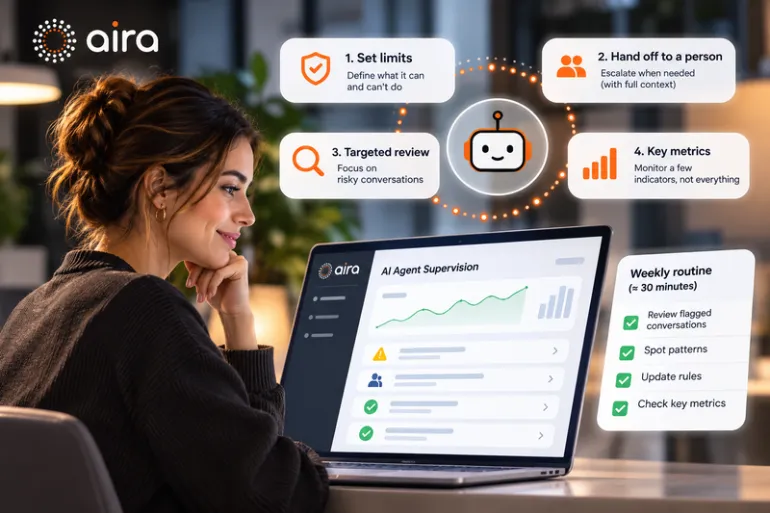
What to require. A log of conversations and actions your team can access, and a habit: a short, regular review of a sample of conversations plus every handoff. Without logs there's no audit trail, and without review the log just takes up space.
Red flag. Logs exist, but only the vendor can see them.
Ask the vendor. Can I view and export every conversation and action the agent takes? Who has access to them?
9. Transparency and Compliance
What to require. A clear disclosure that the customer is talking to AI, and a privacy policy that matches the data the agent collects. Regulation is moving fast: according to Bloomberg Law (July 2026), fifteen U.S. states had enacted chatbot laws, ten of them in 2026 alone. Many focus on companion chatbots or minors, but disclosing that it's AI costs almost nothing and avoids trouble. Check your state and industry requirements with legal counsel.
Red flag. An agent that passes itself off as a person.
Ask the vendor. How does the agent identify itself to customers, what personal data does it capture, and where is it stored?
10. An Owner, a Kill Switch and an Incident Plan
What to require. A named person accountable for the agent at your company; the ability to turn it off immediately, with no tickets and no waiting; and a plan for when something goes wrong: who decides, how it's corrected, and how an affected customer is notified. Reassess the agent whenever your products, policies or systems change, and always after an incident.
Red flag. "Nobody is quite sure who would shut it off."
Ask the vendor. How long does it take me to disable the agent, and what happens to conversations in progress?
How to Test an AI Agent Before Opening It to the Public
A well-run pilot is the best control of all, because it shows you how your agent fails with your data.
First, prepare the foundation. Define the scope (control 1) and review the information the agent will rely on (control 4). If your returns policy contradicts itself, the agent will inherit the contradiction.
Then test with the questions you fear. Not the ones you hope for. Ask for discounts that don't exist, refunds past the deadline, another customer's data, tell it to ignore its rules, raise legal or health topics, send an angry complaint. Record every answer and label it: correct, incorrect, or should have escalated.
Finally, launch narrow. One page, one time window, or one type of inquiry, and review every conversation. Decide in writing, before you start, which results mean "continue," "adjust" or "stop." That way the decision doesn't depend on the excitement of the moment.
One piece is missing: the question I promised.
The Question No Checklist Asks: What Does Your Worst Mistake Cost?
At the start I promised a question almost nobody asks. Here it is: if this agent gets it wrong in the worst possible way, what does it cost, and who finds out first?
No defense completely eliminates manipulation or guarantees a perfect answer. That's why real security is designed from the worst case. Run this exercise with your team before you buy:
If the agent… | The impact is… | Contained by control… |
|---|---|---|
Promises a refund that doesn't exist | A dispute and lost trust | 1, 4 and 6 (scope, real information, human approval) |
Shows another customer's data | A privacy incident | 2 and 3 (least privilege, limited data) |
Is manipulated into ignoring its rules | Data leak or an improper action | 2, 6 and 7 (permissions and testing, not filters alone) |
Answers with outdated information | Wrong purchases or expectations | 4 and 8 (current information, review) |
Fails and nobody notices | The error repeats for days | 8 and 10 (logging, owner, kill switch) |
Notice the pattern: almost every row is contained by permissions and process, not by hoping the AI gets it right. That's the difference between an agent that impresses in a demo and one you can leave running overnight.
Will It Create More Work? What Supervising an AI Agent Asks of Your Team
It's the most honest objection, and it deserves an honest answer: a well-implemented agent doesn't eliminate human work, it moves it. Your team stops answering the same questions and starts doing three things: reviewing a sample of conversations regularly, handling handoffs, and keeping the agent's information current.
That effort should be small, predictable and measurable. Measure it from the pilot: how many conversations are escalated, how many escalations were warranted, and how much time your team spends on review. If the agent creates more work than it removes, your own data will show it early. That's what the pilot's go/no-go criteria are for.
Questions to Ask Any AI Agent Vendor Before You Sign
Use this table in your next evaluation. If a vendor can't answer clearly, you know where the risk is.
Question | The answer you want | Red flag |
|---|---|---|
What data does the agent use to answer? | Verifiable information from my business or catalog | "General knowledge" |
What happens when it doesn't know? | It says so and hands off to a person | It improvises |
Who can see and control the conversations? | My team, with access to the full log | Only the vendor |
Is it trained on my data? | A clear written answer and defined retention | Evasive answers |
Can I turn it off myself? | Yes, immediately | You have to open a ticket |
Which actions require human approval? | A defined, configurable list | "None, it's autonomous" |
Who installs it and who maintains it? | Guided setup and help keeping the knowledge current | "Self-serve: configure it yourself" |
What does it cost and what's included? | Clear pricing and a written scope | "It depends," with no criteria |
How Aira Approaches These Controls
With Aira Web and Aira Ecommerce, here is where the service starts:
Managed setup. It's not a self-serve tool you have to configure alone: the Aira team installs and configures the agent with you. That bears directly on controls 1, 4 and 5 (scope, information and handoff).
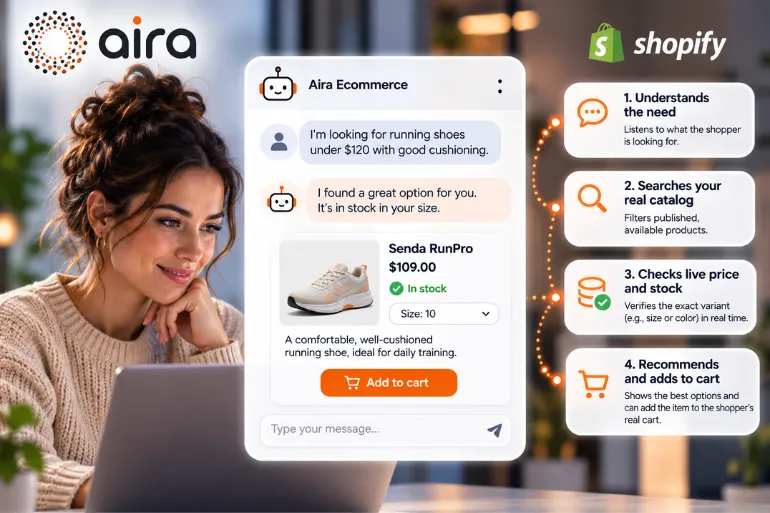
Answers based on real information. The agent answers from your business or catalog data, not generic knowledge. With Aira Ecommerce, it also checks inventory in real time.
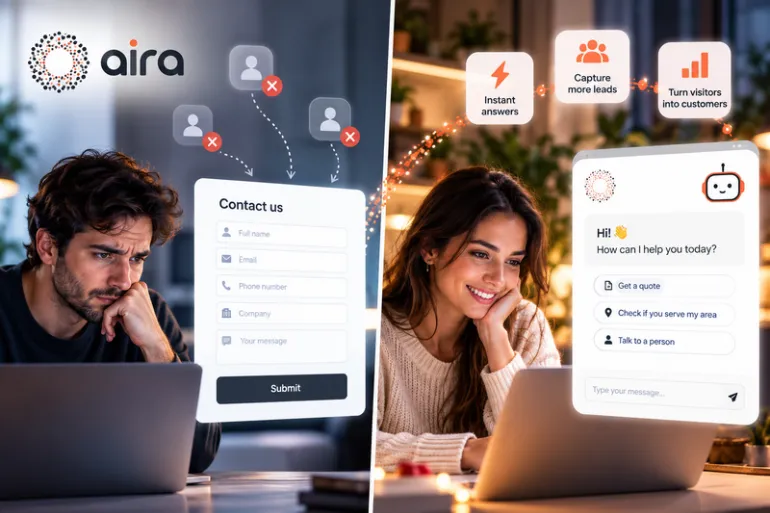
Handoff to your human team. Aira Web captures contact details and routes opportunities to your team when appropriate.
Fixed monthly pricing. The reference offer is $1,499 for setup and the first month, then $385 per month.
And here's something no serious vendor promises, Aira included: perfect accuracy. What a vendor should offer is control: knowing what the agent says, why, and how to correct it.
Bottom Line: Security Means Being Able to Be Wrong Without It Mattering Much
At the start I promised a question almost no checklist asks: what does your worst mistake cost? You have it now, and with it the answer to the 11:40 p.m. worry: an agent isn't secure because it never fails. It's secure because, when it fails, it has minimal permissions, hands off, leaves a record and can be shut off in seconds.
The ten controls in this article aren't bureaucracy. They're the difference between automating with control and automating on hope. Every month an agent runs without them, risk builds up where no one is looking.
Written by the Aira content team, specialists in conversational AI agents for ecommerce and service businesses.
Frequently asked questions
Can an AI agent leak my customers' data?
It can, if it has access to more data than it needs or its permissions are broad. You reduce the risk by limiting the data it can reach, applying least-privilege permissions and reviewing the logs. No control removes the risk entirely, but each one narrows it.
What is prompt injection, and can it be fully prevented?
It's an attack where text convinces the agent to ignore its rules. No defense eliminates it completely today, so real protection means limiting what the agent can do even if it is fooled: minimal permissions and human approval for critical actions.
Who is responsible if the agent gets it wrong?
Your company. In the Air Canada case, the tribunal rejected the idea that a chatbot is a separate entity responsible for itself. Keep that in mind when you set limits, and review it with legal counsel.
Do I need to tell customers they're talking to AI?
It's a recommended practice and, in a growing number of states, a requirement in certain cases. Laws vary by state and by type of chatbot, so check with legal counsel.
How often should I review the agent?
Frequently during the pilot, then regularly using a sample of conversations. Reassess whenever your products, policies or systems change, and immediately after any incident.
Will an AI agent create more work for my team?
It changes the work: fewer repetitive questions, more review, handoffs and information upkeep. If you measure it from the pilot, your own data will show whether the balance is favorable.